Microsoft 365 security review
Collect supported identity, access, policy, licensing and collaboration evidence with approved permissions. Review findings, context and missing evidence.

Understand Microsoft 365 security findings, review SharePoint file activity, receive configurable alerts and turn evidence into practical remediation plans and reports.
Discuss your needs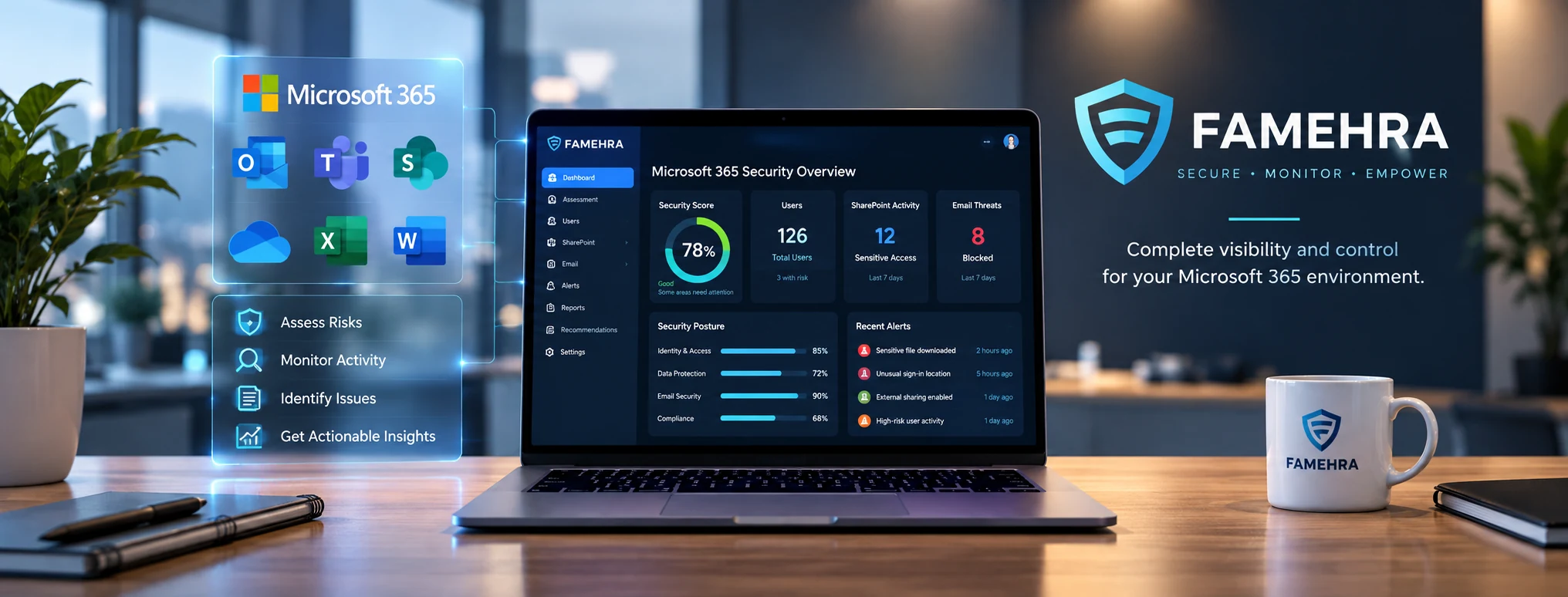
See a short cinematic story about a business owner reviewing Microsoft 365 security concerns with the help of Famehra. This 10-second scene is illustrative, not a product demonstration.
Fictional scenario and illustrative interfaces. Security assessments and remediation require administrator review; the portal does not automatically correct issues.
Your team depends on Microsoft 365 for business email, identities and shared files. Security information is spread across different admin centers, and a single score rarely explains which issue deserves attention.
The Famehra Microsoft 365 Security Portal connects approved security assessments, evidence-based findings, SharePoint download monitoring, configurable alerts, remediation plans and reports in one dedicated customer workspace. Teams can review the facts and decide what to do next.
Famehra also offers tailored AI readiness and assessment portal implementations for IT providers and MSPs. Scope, branding, connectors and hosting arrangements are agreed separately.
Collect supported identity, access, policy, licensing and collaboration evidence with approved permissions. Review findings, context and missing evidence.
Inspect collected audit events and configure sensitive-location and bulk-download review rules. Audit records may be delayed by Microsoft.
Send configurable email notifications through the customer-authorized sender when a monitoring rule matches. An alert is not proof of compromise.
Prepare versioned remediation plans with estimated effort, workflow statuses and human-reviewed next steps. The portal does not automatically change Microsoft security settings.
Open printable assessment and remediation reports, with Administrator and Viewer access controls.
Design additional assessments, branding, engineering review workflows and reporting for agreed MSP or consultancy projects.
An authorized Microsoft 365 administrator reviews requested permissions and grants consent. Customer workspace activation is guided during deployment.
Run supported assessments, review evidence gaps and configure authorized SharePoint monitoring and email settings.
Investigate relevant activity, approve remediation work and share printable reports with stakeholders.
A Microsoft 365 administrator receives an alert related to a designated SharePoint folder. The team reviews audit records in Famehra, determines whether activity is expected, and uses the findings and remediation workflow to document follow-up. The security team remains in control of decisions and changes.
Microsoft 365 keeps your business moving. But with identities, shared files, permissions and policies spread across different admin centers, it can be difficult to know what needs attention first.
Famehra brings your assessment findings, SharePoint activity, alerts and remediation plans into a dedicated customer workspace. So your team can investigate with context rather than guesswork.
SECURITY PORTALDesigned to help IT administrators and business stakeholders see where action is needed, understand supporting evidence and follow progress.
Review supported identity, access, policy, licensing and collaboration settings in one place. Findings help identify where closer investigation is needed.
See what was checked, which controls require attention and where evidence could not be collected. Missing permissions or licenses do not count as a passing result.
Review collected SharePoint download records and configure sensitive locations. Relevant events can be grouped for investigation.
Configure an email sender and alert rules for qualifying activity, including sensitive-location and bulk-download review. Microsoft audit events may arrive with a delay.
Turn findings into versioned remediation plans, assign estimated effort and use approval/workflow statuses to track the next steps. Changes remain under human control.
Open printable assessment and remediation documents for technical and business stakeholders, with administrator and viewer access roles.
 Less uncertainty.
Your team should be able to investigate the event with context, rather than rely on a vague security warning.
An alert is a prompt for investigation—not proof of a breach. Activity visibility depends on Microsoft audit availability, permissions and ingestion timing.
Each organization's scope, available Microsoft data and activation requirements are confirmed during onboarding.
An authorized Microsoft 365 administrator reviews the requested read-only permissions and approves the connection.
The portal collects evidence available under the approved permissions and the organization’s licenses.
Review findings, evidence gaps and SharePoint activity. Configure monitoring and email settings as needed.
Prioritize remediation, approve work, produce reports and reassess to review changes over time.
Approved Microsoft permissions support evidence collection. The portal does not automatically remediate settings, guarantee complete coverage or promise immediate alerts. Supported checks depend on licensing and consent, and administrators choose which actions to take.
Security assessment data collection uses administrator-approved, read-only Microsoft permissions. The portal supports review and remediation planning; it does not automatically fix tenant settings.
Supported SharePoint audit activity can be collected after the appropriate administrator consent, audit configuration and monitoring setup. Events may appear after a delay and coverage depends on available Microsoft data.
No. Available evidence depends on Microsoft licensing and granted permissions. Controls without sufficient evidence should be shown as not validated rather than passing.
Your organization configures its authorized email sender and monitoring rules. Alerts are generated when qualifying audit activity is collected and processed.
Yes. Admin and Viewer access roles support different levels of access to the portal.
Not yet. Famehra currently provides guided setup and activation where deployment steps require operator assistance.
Yes. Request a guided demonstration using sanitized demonstration information.
Start with a conversation about where you are—and where you want to go.
contact@famehra.com